FPS recoil control: from camera movement to a useful test
Understand what recoil assistance can show on screen and how to compare settings without mixing variables. Start here, then explore the PUBG and WARDOGS recorded examples.
Vertical recoil, horizontal recoil and spread
Vertical recoil moves the aiming view up or down; horizontal recoil moves it sideways. Weapon spread describes shots dispersing around the aiming direction. These effects may occur together but are not interchangeable. A tighter camera path alone does not prove that spread changed or that more shots hit a moving target. Manual recoil control uses mouse input to counter view movement while maintaining the intended aim point.
Sensitivity changes input, not the recoil definition
DPI and game sensitivity influence how far the view turns for a given mouse movement. Optic magnification changes the apparent movement in the image. Copying a correction value between games or scopes is therefore an unreliable comparison. Choose a comfortable manual sensitivity first. Hold it steady when evaluating assistance and document it so the next test has the same baseline.
What screen-based AI recoil assistance means here
SPTAIM analyzes visible screen movement and uses that feedback to provide recoil-related mouse correction. You still choose where to aim. Analysis and input operate with a delay, so a response can overshoot or lag behind a changing burst. Here, AI recoil control describes screen-based assistance; it does not establish perfect prediction, automatic target selection or guaranteed accuracy.
How SPTAIM works
SPTAIM is a Windows utility that analyzes screen movement and supplies recoil-related mouse correction while the user aims. The comparison focuses on downward correction of upward firing motion. Manual aim, scene visibility and processing delay remain part of the result. Use the recorded examples to understand the behavior before choosing settings.
Before / After: assistance OFF and ON
Recorded PUBG example reused from the game guide. OFF: source 2–4 seconds. ON: source 9–11 seconds. The PUBG page explains this recording; WARDOGS has its own separate scope test.
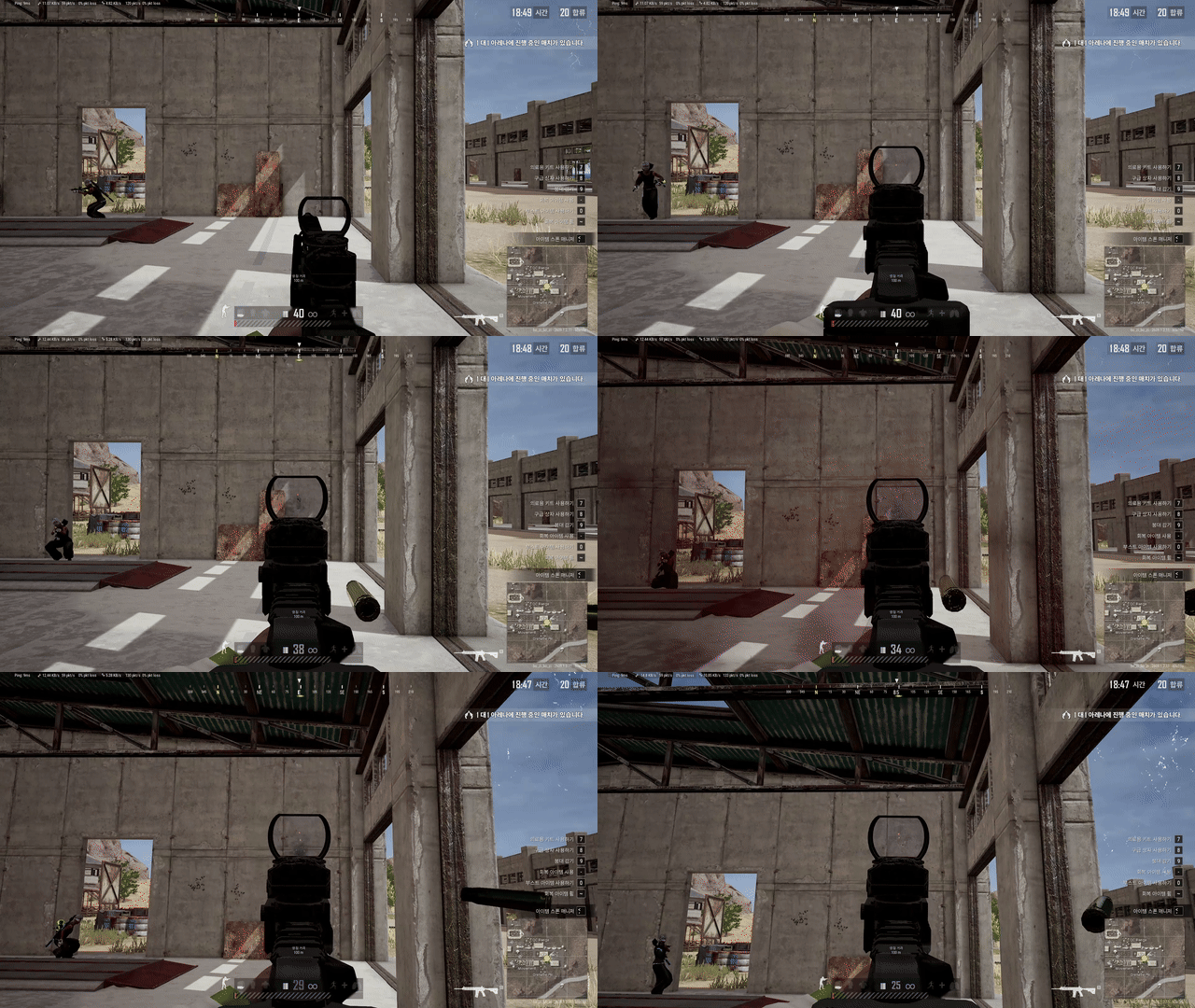
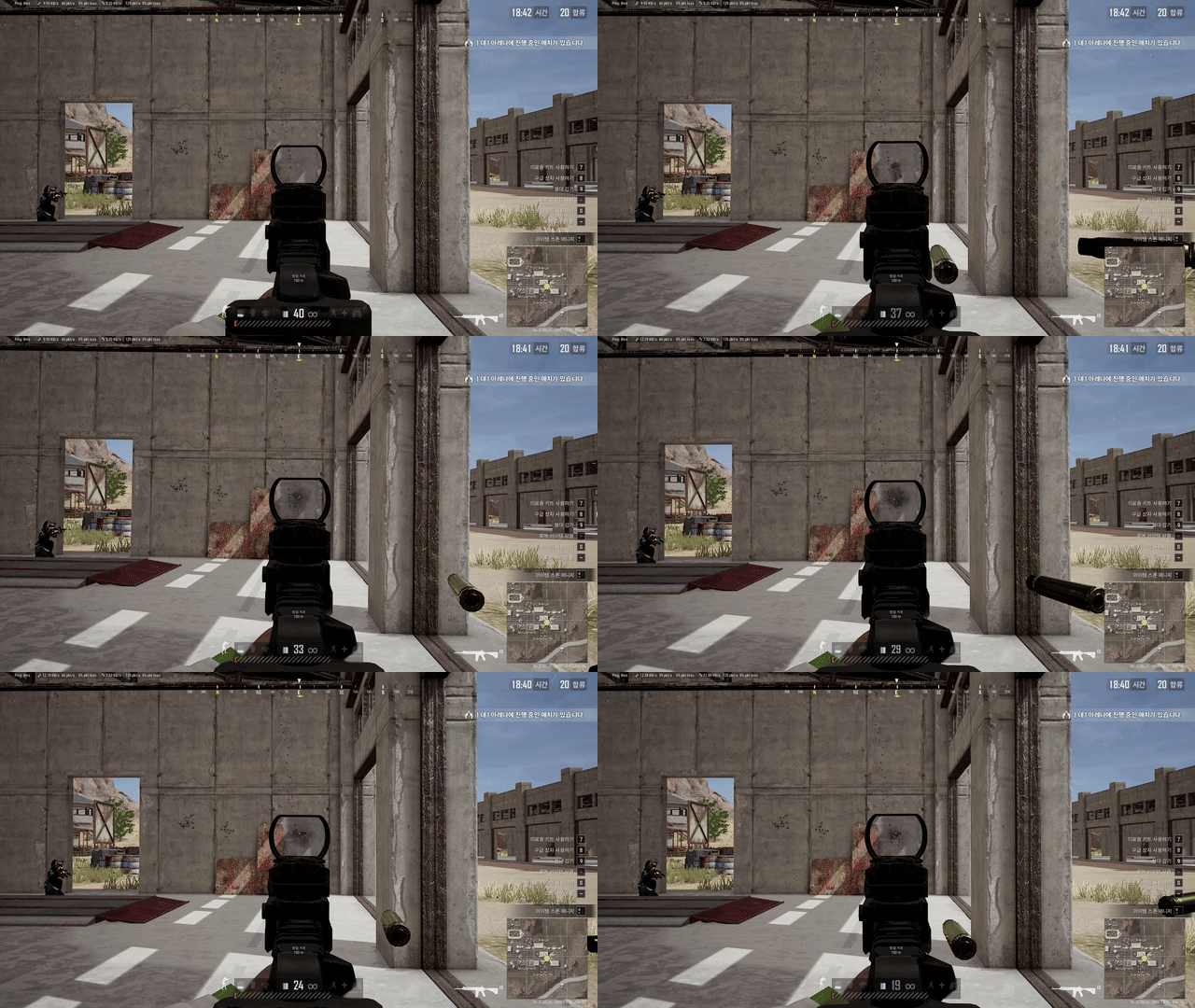
Look for displacement direction, time away from the starting reference and movement below that reference. These observations are more useful than unrelated still frames. The clip illustrates a visual comparison; it is not a benchmark covering all FPS games.
Full comparisons on YouTube
Watch the published comparison videos here or on YouTube. These videos use Korean captions.
WARDOGS AI recoil assistance comparison
PUBG AI recoil assistance comparison
PUBG 2x scope AI recoil assistance comparison
Features to evaluate
Feedback from the screen
Scene clarity and capture timing affect visible-motion analysis.
Adjustable response
Evaluate drift and overshoot across repeated bursts, not just the strength value.
Game-specific evidence
PUBG and WARDOGS provide separate recorded examples with documented source intervals.
Build a comparison you can reproduce
Record the game, weapon, optic, attachments and stance. Keep frame rate, resolution and sensitivity consistent. Choose a fixed reference and capture several equal-length OFF bursts, then repeat with assistance ON. Change only one setting between batches. Review initial kick, sustained drift and recovery separately. Keep unsuccessful trials alongside good ones and note source intervals before drawing a conclusion.
Frequently asked questions
Is recoil control software the same as an aimbot?
They describe different behaviors. This page concerns recoil-related view correction while the user aims. It does not demonstrate automatic enemy selection or tracking.
Why can stronger correction look less stable?
A delayed response can continue after the view has moved back, pulling it beyond the reference. Evaluate strength together with timing and overshoot.
What should a Before / After result report?
Include conditions, trial count and duration, source intervals and the measurement used. One selected clip does not establish a universal performance percentage.
Where should I start?
Read the guide for the game shown in your recording. Identify what you want to measure, then consult the official SPTAIM page for product and setup information.
Continue reading
Explore SPTAIM
See the official product overview, settings information and available plans.